
Minecraft Server Hosting Plan
One plan, unlimited flexibility. Start small and scale CPU, RAM and disk instantly from the panel as your community grows.
Configure Your Server, See Your Price
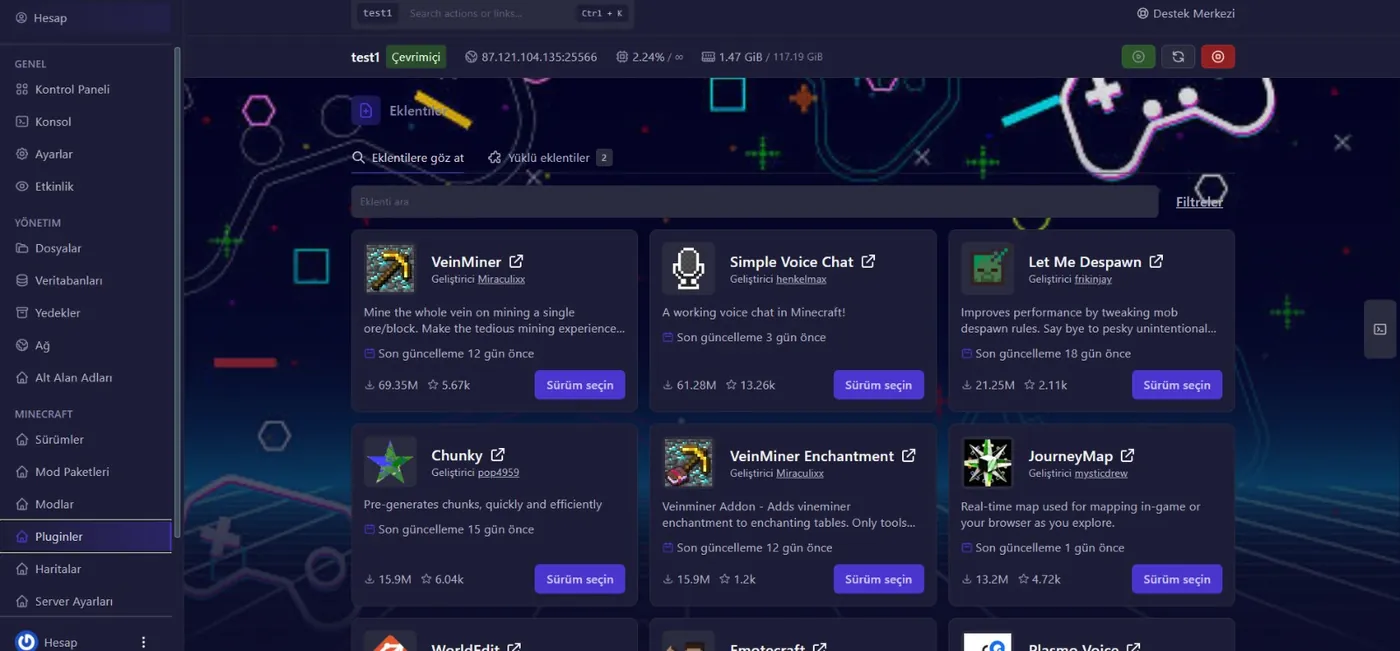
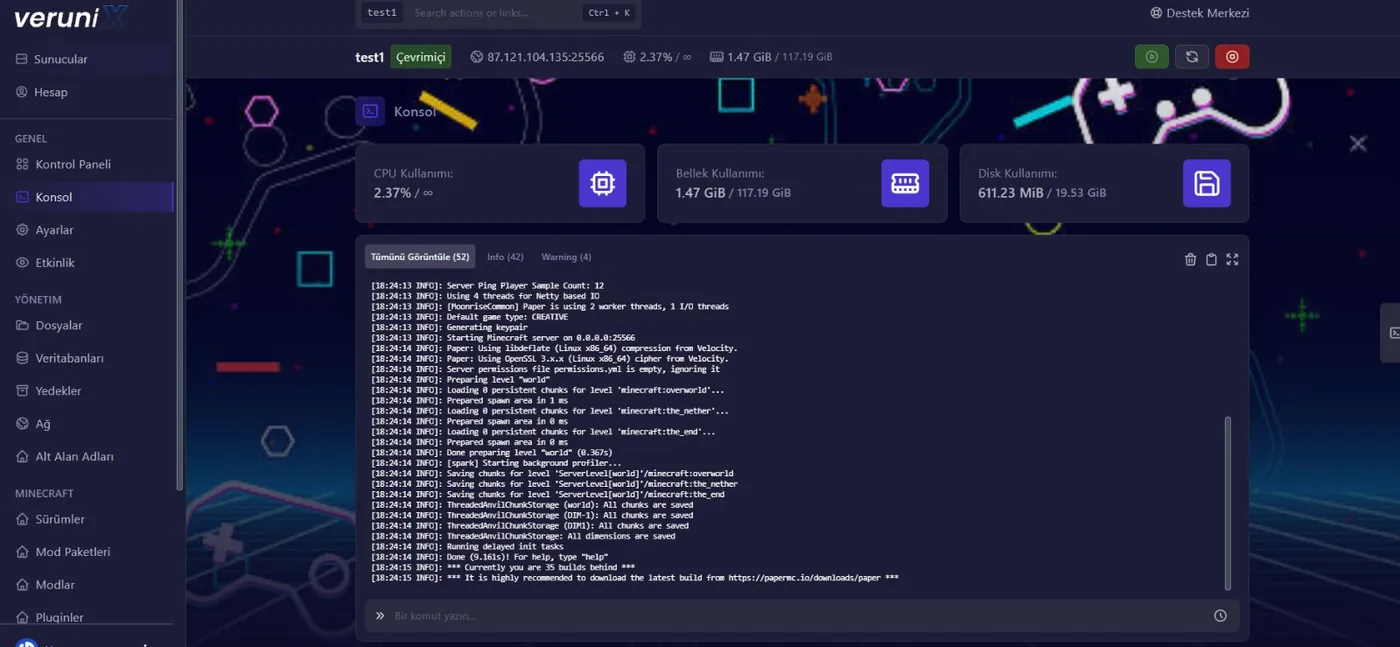
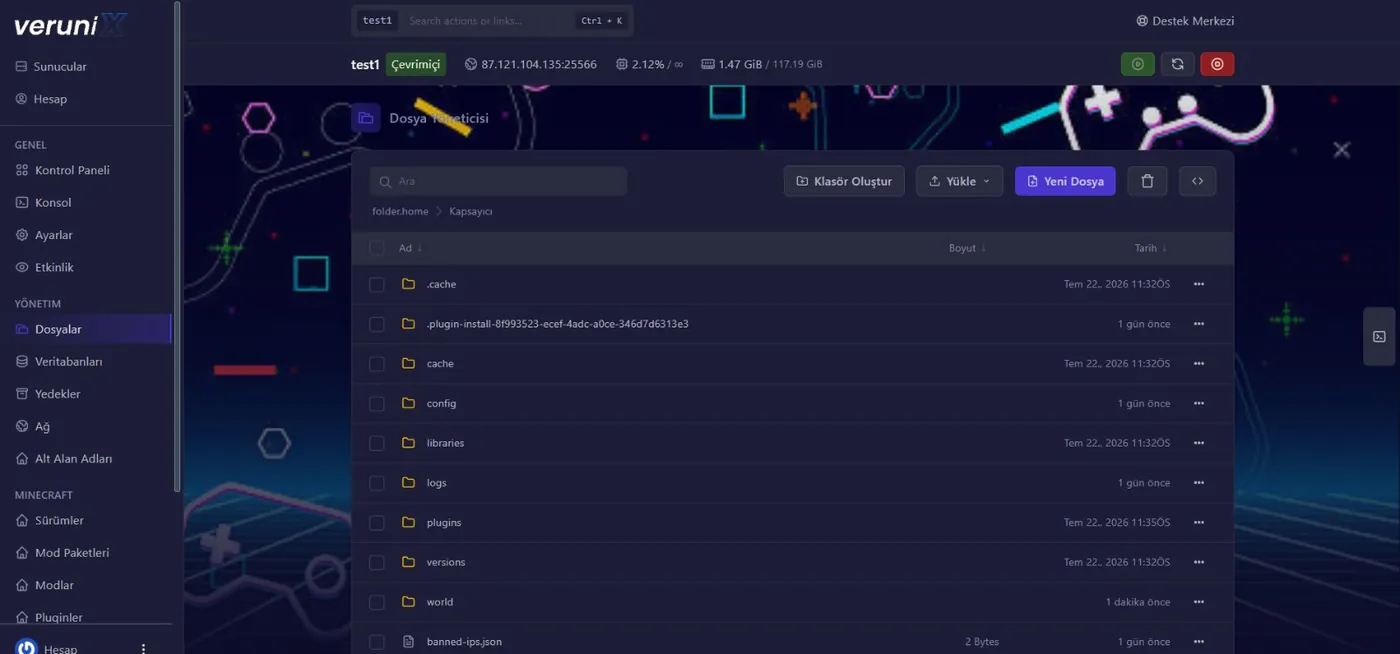
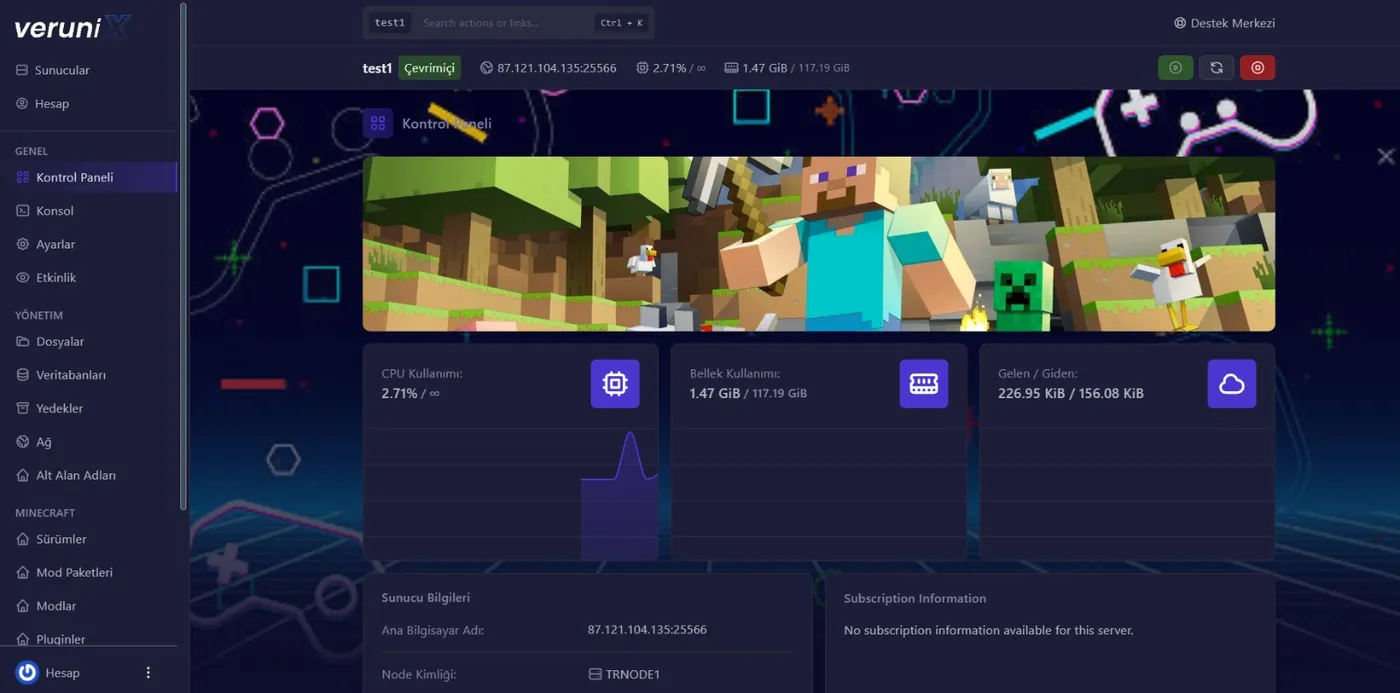
Explore the Panel Before You Buy
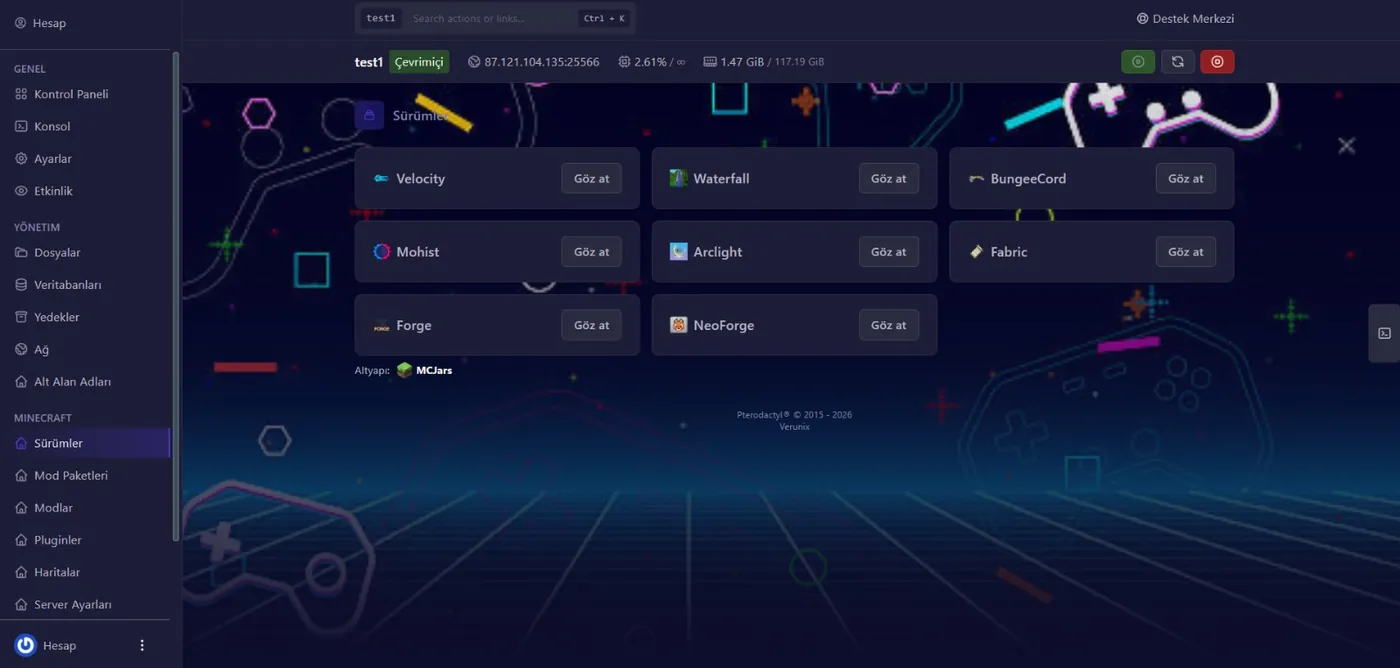
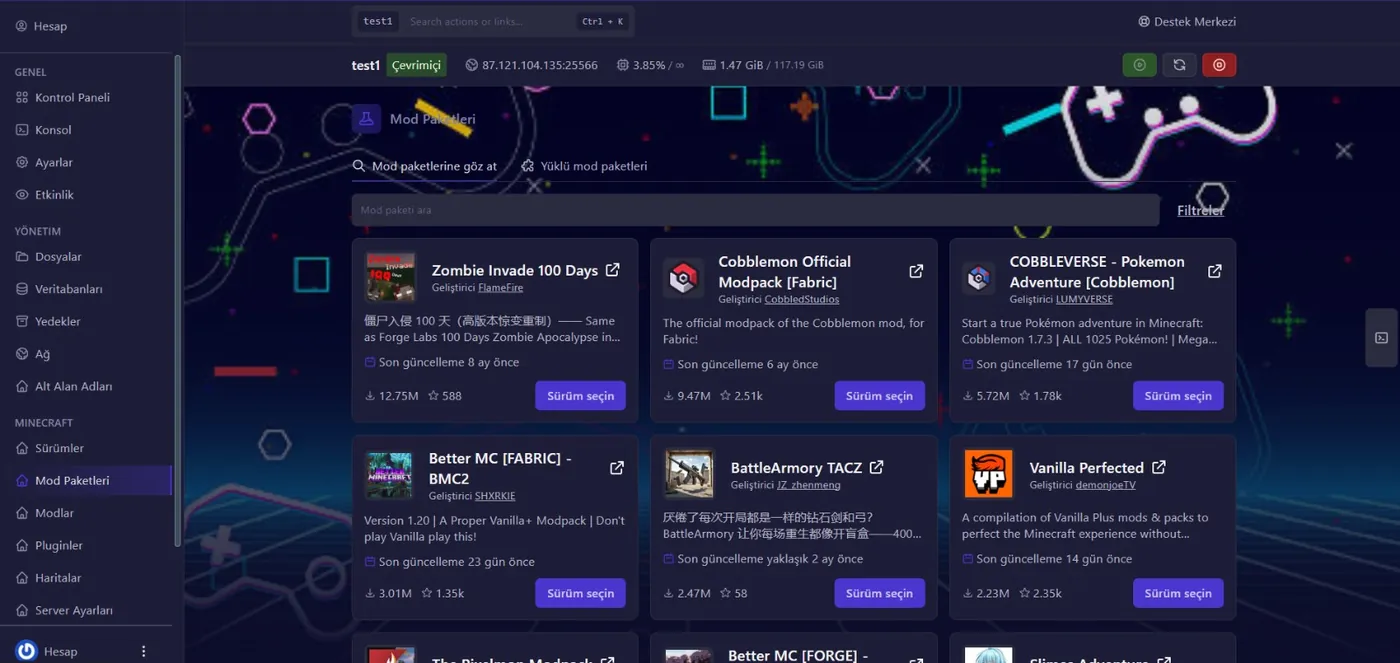
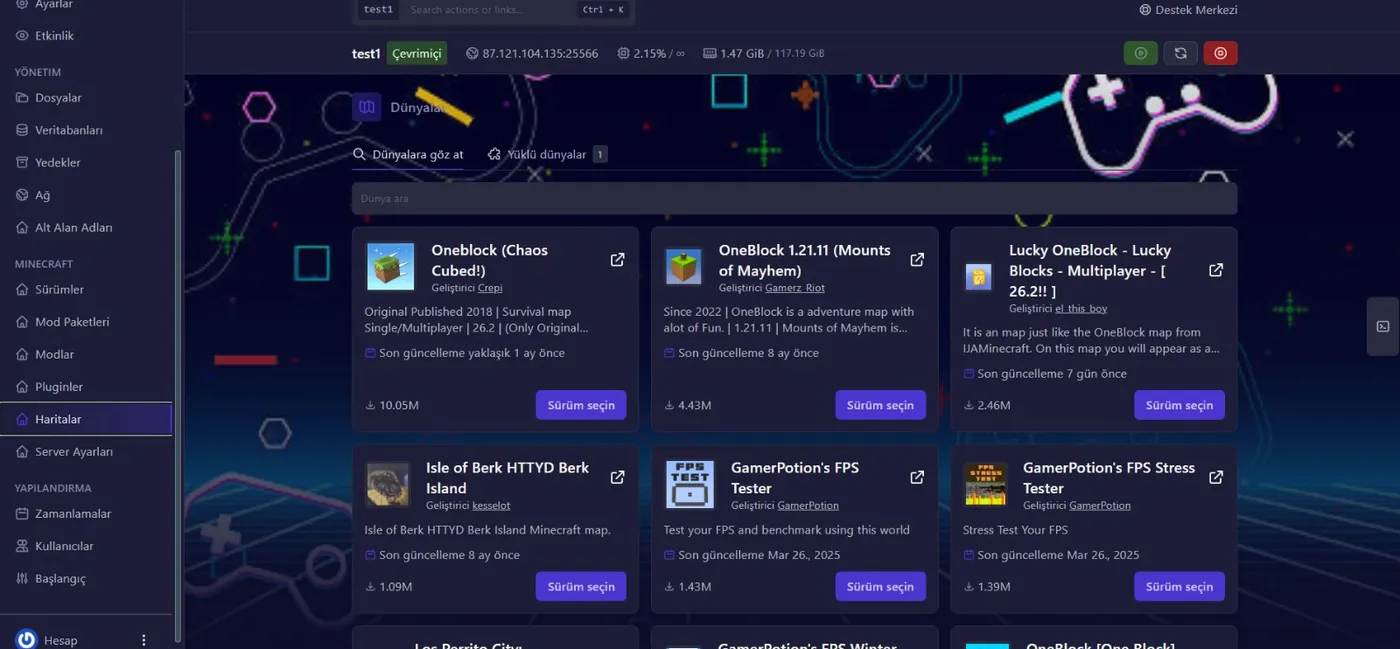
From the live console to one-click map installs, from modpack installation to version switching: everything in the Verunix Easy Setup Panel is just a click away. Click the images for a closer look.
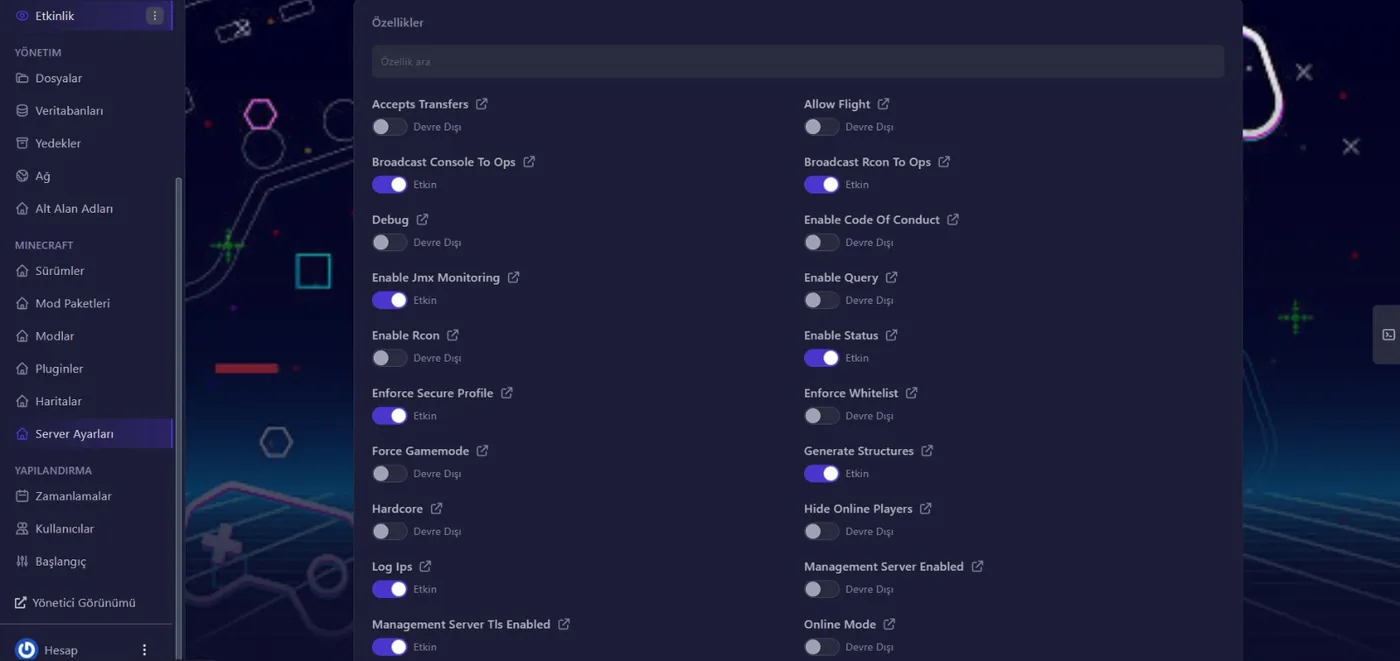
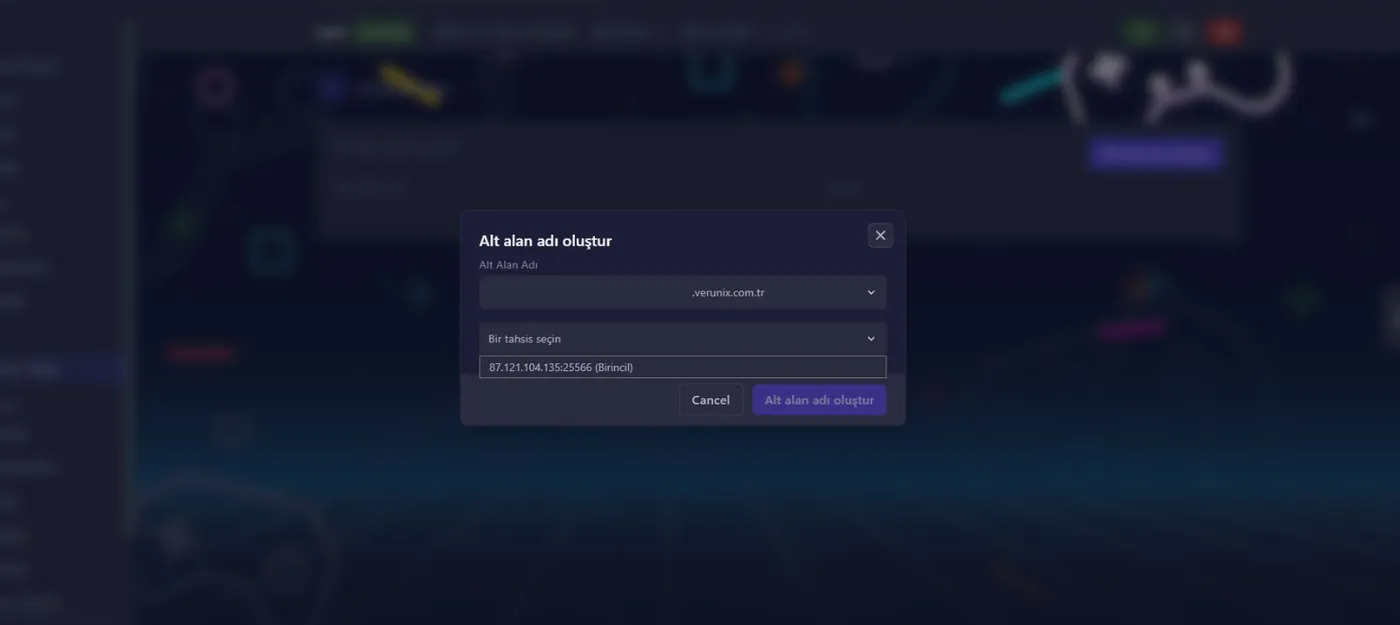
Why Is Setting Up a Minecraft Server So Easy?
No more wrestling with SSH, terminal commands or Java installs. With the Verunix Easy Setup Panel, just pick Paper, Purpur, Spigot, Forge, Fabric or NeoForge from the list and install it in one click; your server is live within minutes. Everything is managed from your browser, on any device you like.
Live console, file manager and one-click backups are ready in the panel. You can link your servers into a single network with BungeeCord or Velocity, and thanks to NVMe SSDs and our data center in Turkey, give your players a stable 20.0 TPS experience with sub-5ms ping.
- One-click version install: Paper, Purpur, Spigot, Forge, Fabric and Vanilla; switching versions is one click too
- Unlimited plugin & modpack support: EssentialsX, LuckPerms, WorldEdit, FTB and ATM modpacks upload via drag and drop in the panel
- Live console and file manager: Send commands, watch logs and edit any file, including server.properties, from your browser
- BungeeCord / Velocity proxy: Combine Survival, SkyBlock, BedWars and Lobby servers into one network
- One-click backup & restore: Your world files are backed up from the panel; if something goes wrong, roll back in seconds
- Sub-users and scheduled tasks: Give your staff limited panel access, schedule automatic restarts and backups
- Minecraft-specific DDoS protection: 24/7 filtering against UDP floods, query exploits and bot attacks
What Is the Verunix Easy Setup Panel and Why Choose It?
The Verunix Easy Setup Panel is a modern web panel for managing your Minecraft server from your browser. Starting and stopping the server, installing versions, editing files, backups and every other task are gathered on a single screen; no Linux knowledge or command-line experience required.
Ease of use doesn't come at the cost of performance: every server runs with isolated resources on AMD Ryzen 9 5950X infrastructure, one of the fastest processors on the market. This helps prevent TPS drops and slow chunk loading.
Thanks to our Turkey location (Istanbul/Verunix) and NVMe SSD hardware, you get a Minecraft server hosting experience with the lowest ping and silky-smooth speed.
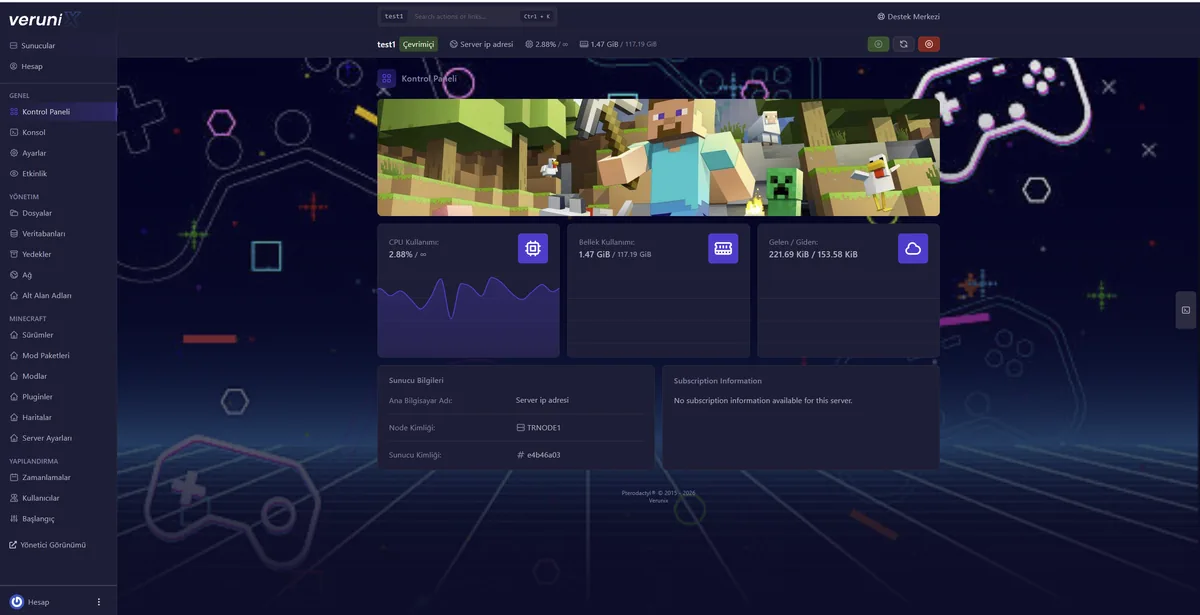
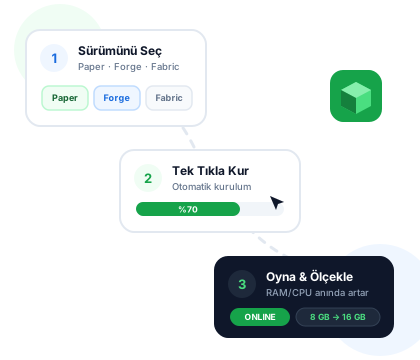
How Does One-Click Minecraft Server Setup Work?
Setting up a Minecraft server used to take hours: Linux commands, Java installation, port forwarding and config files... The Verunix Easy Setup Panel automates the entire process. As soon as your payment is confirmed, you log in to your panel and find your server ready.
In the panel, choose a plugin-based version such as Paper, Purpur or Spigot or a modded one such as Forge, Fabric or NeoForge, and install it in one click. Want a modpack? Install popular packs like All The Mods or Better MC; switching versions is still just one click.
On top of that, your plan never holds you back: resources are scalable. Start with 10 players, and as your community grows, upgrade RAM and CPU; your world files, plugins and settings stay exactly as they are.
- Hours of manual setup
- Linux & Java knowledge required
- Fixed hardware, migration hassles
- One-click setup in minutes
- No technical knowledge required
- Resources scale instantly
Extra Power, Extra Convenience
The features included in Verunix Minecraft server plans are designed for an unmatched experience.
100% DDoS Protection
Attack filtering at Layer 3, 4 and 7. Even if rivals try to take your server down, the game keeps running without interruption.
NVMe SSD Infrastructure
Chunk loading is 5x faster than on traditional disks. No lag while exploring the world or around farms.
Full Control from the Web Panel
Live console, file manager, Java version selection and scheduled tasks. Full control in your browser, on a single screen.
Mod & Plugin Support
Forge, Fabric, Paper, Purpur: install everything from LuckPerms to modpacks right from the panel. No extra charge.
Automatic Backups
Your world files are automatically backed up from the panel. After a mistake, restore with one click and never lose data.
24/7 Minecraft Experts
Not generic technical support, but a team of Minecraft experts. We're there for you even when setting up Paper, Spigot or Fabric.
One-Click Map Install
OneBlock, SkyBlock, parkour... Pick ready-made worlds downloaded millions of times from the panel and install them on your server in one click. No unzipping, no moving files around.
Modpack Installation
Thousands of modpacks, from All The Mods to Cobblemon, are listed in the panel. Pick your version and let the panel handle the rest; your modded server is up within minutes.
One-Click Version Switching
From Paper to Forge, from Fabric to Velocity... Switch your server's core whenever you like; your world files stay in place, and your players won't even notice.
What Should You Watch Out for When Setting Up a Minecraft Server?
Notes from our hands-on experience, from Paper to modded Forge packs, from choosing the right hardware to performance tuning.
Hardware and RAM Planning
A Minecraft server's performance depends largely on single-core CPU speed, since the game's main loop runs on a single thread. That's why, for Paper/Purpur servers with 20-50 players, high clock speed options like our scalable Ryzen 9 based plan make a noticeable difference compared to many-core but low-frequency processors. For RAM, a practical rule of thumb: plan for ~70-100 MB per player for vanilla/Paper, and for modded Forge/Fabric packs (All The Mods, Better MC, etc.) a base of 6-8 GB plus ~150 MB per player.
TPS and Performance Tuning
The three most common causes of TPS drops are a high view-distance, worlds without chunk pre-generation and uncontrolled entity buildup. Using Aikar's JVM flags, lowering view-distance to 6-8 while managing simulation-distance separately, and pre-generating the world with Chunky solve most "the server is lagging" complaints. If you have trouble interpreting Spark profiler output, you can send it to our 24/7 support team; we're with you after setup, too.
Bot Attacks and Protection
Bot attacks start the moment you open your server to the outside world. The DDoS protection on Verunix infrastructure automatically filters L4 attacks, and on the game side we recommend layered defenses with Velocity plus proxy protection plugins.
Recommended Starting Resources
Our web panel plans aren't fixed: start small and scale RAM and CPU instantly from the panel as your community grows.
1-10 players, vanilla/Paper
2 vCPU · 4 GB RAM · 40 GB NVMe
10-40 players, Paper/Purpur with plugins
4 vCPU · 8 GB RAM · 60 GB NVMe
Modpack (ATM9, DawnCraft, etc.)
6 vCPU · 12-16 GB RAM · 80 GB NVMe
Network (BungeeCord/Velocity + 2-3 sub-servers)
8 vCPU · 24 GB+ RAM · 120 GB NVMe
These values are only starting recommendations, so don't worry about picking the wrong plan. Upgrades and downgrades are applied within minutes with your world files and plugins preserved. If you're unsure, check the comparison on our game server page or browse our Minecraft server plans directly.
Frequently Asked Questions
Everything you want to know about Minecraft server hosting.





When you click, the question is sent over automatically and answered.
Choose a service
Let's find the best plan for you with a few quick questions.